Animation video production has historically required either a significant budget for professional studios or a significant time investment in learning complex software. AI-based animation video editing in 2026 has changed both of those barriers considerably. The tools are more capable, more accessible, and more useful than they were even two years ago, and the gap between what a skilled solo creator can produce and what requires a full production team has narrowed in practically significant ways. This broader shift mirrors how AI is transforming other creative disciplines, including visual identity design through modern AI-powered logo generators.
This guide covers the current state of AI-based animation video editing, what the tools can realistically do, the workflows that make the most sense, and the honest limitations that still apply in 2026.
What AI-Based Animation Video Editing Covers
The Range of AI Applications
Text-to-Video Generation
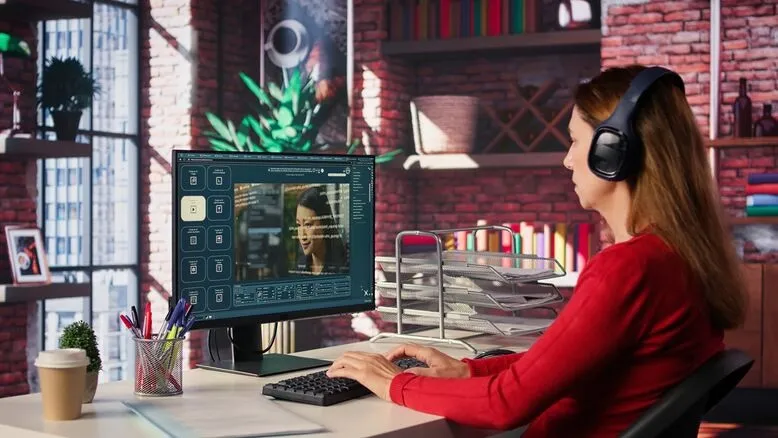
The most discussed category of animation video editing by AI is text-to-video: tools that generate animated video clips from written descriptions. In 2026, the leading tools in this category (Runway Gen-3, Pika 2.0, and Kling) have moved substantially beyond the low-quality, morphing-artifact output of earlier models. Short clips under 10 seconds from these tools are genuinely usable in commercial marketing and social media contexts for brands that need quick, stylized animated content.
AI-Assisted Editing and Post-Production
A second and often more practically valuable category is AI tools embedded within video editing workflows. Adobe Premiere Pro’s AI features, CapCut’s AI editing suite, and DaVinci Resolve’s neural engine all automate tasks that previously required manual skill: automatic cut point detection, color matching across clips, AI-generated captions with accurate timing, and background removal without green screen. These tools are integrated into workflows most creators already use, making adoption straightforward. For businesses creating marketing assets, AI-driven production can also complement a broader branding strategy that starts with understanding what a logo is and how it supports brand recognition.
The Best AI Animation Video Editing Tools in 2026
| Tool | Category | Best Use Case | Free Tier? |
| Runway Gen-3 Alpha | Text-to-video generation | Stylized short clips for social media and marketing | Limited free credits |
| Pika 2.0 | Text-to-video generation | Fast generation of social media video content | Free tier available |
| Adobe Premiere Pro (AI features) | AI-assisted editing | Professional editors want AI efficiency within existing workflow | No, CC subscription |
| CapCut AI | AI-assisted editing | Social media creators wanting fast automated editing | Free tier available |
| D-ID / HeyGen | AI character animation | Talking head videos, multilingual dubbing | Limited free tier |
| Descript | Text-based video editing | Podcast and interview editing; remove words by editing transcript | Free tier available |
| Topaz Video AI | Enhancement and upscaling | Upscaling older footage; noise reduction; frame interpolation | One-time purchase |
How AI Animation Video Editing Actually Works in a Production Workflow
Practical Integration
Using AI for Generation and Traditional Tools for Assembly
The most effective approach to AI-based animation video editing in practice is not replacing a traditional editing workflow but inserting AI generation at specific points within it. A typical workflow might use Runway or Pika to generate background scene clips, D-ID or HeyGen to produce character or presenter animations, and then assemble these elements in a standard NLE like Premiere or DaVinci Resolve, where the AI-generated content is combined with branded graphics, music, and captions.
Prompt Engineering as a Production Skill
For text-to-video AI animation tools, prompt writing has become a genuine production skill. Specific, detailed prompts that include camera angle, lighting style, mood, movement direction, and visual texture consistently produce better results than vague descriptions. The difference between a prompt like an animated scene and one specifying a top-down aerial view of a city at golden hour, warm amber light, slow camera drift, and photorealistic style is the difference between unusable generic output and a clip that fits a specific creative need.
Iterative Generation and Selection
- Generate four to six variations of each clip rather than accepting the first output
- Review each variation specifically for motion consistency and unnatural morphing
- Select the best elements from different generations and combine them in editing
- Use inpainting features (available in some tools) to fix specific problem areas in otherwise good clips
- Build clips as short segments under 8 seconds and assemble them in editing rather than generating longer content in a single pass
What AI Animation Does Well and Where It Struggles
An Honest Assessment
Current Strengths
- Short atmospheric clips for backgrounds, transitions, and stylized content
- Talking head animation from still images with AI lip sync for explainers and multilingual content
- Automated editing tasks like captioning, color correction, and audio cleanup
- Style transfer on existing footage to create an animated aesthetic from live video
- Fast iteration for A/B testing different visual approaches without full re-production
Current Limitations
AI animation video editing still struggles significantly with character consistency across scenes (the same character looks different from clip to clip), complex multi-character interactions with physically plausible movement, text legibility within generated video, and long-form content where the quality and consistency of short clips do not hold up over several minutes. These limitations mean AI animation is most powerful as a supplementary tool within a broader production approach rather than a complete replacement for traditional animation techniques.
Final Thoughts
AI-based animation video editing in 2026 is genuinely useful and continues to improve rapidly. The practical value is highest for short-form marketing content, social media clips, animated explainers, and AI-assisted post-production tasks within traditional editing workflows. As brands invest more heavily in visual storytelling, these assets often work alongside logos and identity systems that follow current logo design trends to create a consistent brand presence. The limitations around character consistency and long-form content mean it works best as a powerful addition to a production toolkit rather than a complete standalone solution.
Express Logo Designs helps brands develop their complete visual identity, including motion and animation assets. Our approach focuses on creating cohesive branding systems that combine animation, digital experiences, and logos designed to support real business growth. If you want to explore what AI animation could contribute to your content production, reach out to us.
FAQs
1. What is AI-based animation video editing?
AI-based animation video editing uses machine learning tools to generate video content from text prompts, automate editing tasks like captioning and color correction, animate still images and characters, and enhance existing footage. It ranges from text-to-video generation tools to AI features embedded within professional editing software.
2. What are the best AI animation video editing tools in 2026?
For text-to-video generation, Runway Gen-3 and Pika 2.0 are leading options. For AI-assisted editing within a professional workflow, Adobe Premiere Pro and DaVinci Resolve’s AI features are widely used. For character animation and lip sync, D-ID and HeyGen are the strongest options.
3. Can AI replace traditional animation production?
Not yet for most professional contexts. AI animation excels at short stylized clips, automated editing tasks, and content that does not require character consistency across scenes. Long-form character animation requiring consistent visual identity and complex interactions still requires traditional production methods.
4. How do I get better results from AI video generation?
Write detailed, specific prompts including camera angle, lighting, mood, movement, and visual style. Generate multiple variations rather than accepting the first output. Use the tools for short clips under 8 seconds and assemble them in a traditional editing tool rather than trying to generate longer content in a single pass.
5. Is AI animation video editing suitable for marketing content?
Yes, for many marketing contexts. Short social media clips, animated backgrounds, explainer video elements, and AI-narrated presenter videos are all practical use cases in 2026. For broadcast-quality or long-form branded content requiring consistent characters, human production still produces better results.