The market for free logo design tools has expanded significantly in recent years. Canva, Looka, Wix Logo Maker, Adobe Express, and a range of other platforms now offer genuine logo creation functionality at no cost. If you’re just getting started, it also helps to understand what a logo is before comparing different tools. The output quality from the best of these platforms has improved to the point where the results are usable for many business contexts.
This guide covers the best free tools available to create a logo online, what you actually get from them, the specific limitations to understand before relying on a free logo for a serious brand, and when professional design becomes necessary.
What Free Logo Design Tools Actually Offer
Capability Has Improved, But Limitations Remain
What You Can Genuinely Do for Free
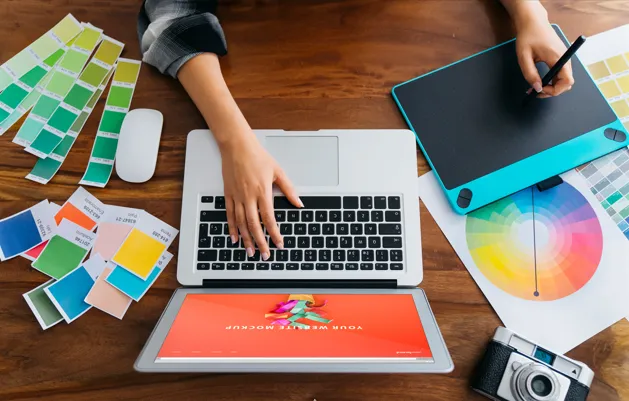
Modern free logo design platforms offer template libraries, icon and symbol libraries, custom color and font selection, and basic text editing within a browser-based interface. For a business at the earliest stage, testing a visual direction, or creating a temporary mark before commissioning professional design, these tools produce results that are far better than most business owners expect.
What Most Free Tiers Do Not Include
- High-resolution or vector file downloads: most free tools offer low-resolution PNG exports; vector SVG or EPS files typically require a paid download
- Commercial use rights: some tools restrict free tier outputs to personal use only
- Transparent background PNG exports: often locked behind paid plans
- Unique or custom design: all templates are available to any user of the platform, meaning other businesses can and do use the same visual elements
- Source files: layered, editable source files that a designer can work with later are generally not available in free downloads
The Best Free Tools to Create a Logo Online
| Tool | What Makes It Useful | Key Free Tier Limitation | Best For |
| Canva | Large template library; easy drag-and-drop; well-designed output | Transparent PNG and brand kit require paid plan | Social media, presentations, simple wordmarks |
| Adobe Express (free) | Strong typography tools; Adobe quality design engine | Limited export formats on free tier | Text-focused wordmarks; professional aesthetic |
| Looka | AI-generated logo concepts from brief input | Only low-res JPG on free tier; vector requires payment | Quick concept exploration before committing to a direction |
| Wix Logo Maker | Guided AI process produces quick results | Download requires paid plan; limited free output | Fast direction testing; Wix website users |
| Hatchful by Shopify | Fully free including high-res download; simple process | Limited template variety; basic customization | Shopify store owners; very simple logos |
| FreeLogoDesign.net | Fully free high-res PNG download | Vector files require payment; limited design depth | Tight budget; low-stakes applications |
A Step-by-Step Approach to Creating a Free Logo
Getting the Best Result from DIY Tools
Step 1: Define Before You Design
The biggest mistake people make when using free logo tools is opening the tool and starting to browse before knowing what they are looking for. Spend five minutes before touching the tool to define: what industry the business is in, what three words describe the brand personality, what colors feel right and why, and whether the logo should be text-based, symbol-based, or both. This brief takes five minutes and dramatically improves the quality of the direction you explore.
Step 2: Work Within One Tool
Opening multiple tools and comparing outputs leads to decision paralysis without producing better results. Pick one tool based on the table above that matches your situation, commit to exploring it thoroughly, and export your best two or three options before evaluating which direction to develop.
Step 3: Keep It Simple
The most common mistake in DIY logo design is adding too many elements: multiple icons, too many colors, decorative flourishes, and complex typography all at once. Looking at proven logo design ideas can help you understand why the strongest logos usually rely on simplicity rather than unnecessary detail. The strongest free logos are almost always the simplest: one clear icon or wordmark, one or two colors, one typeface used consistently.
Step 4: Test Before Committing
- Place the logo on a white background and on a dark background to check readability
- Shrink it to a small size (roughly social media profile image size) to check whether it remains legible
- Show it to two or three people unfamiliar with the business and ask what kind of company it suggests
- Check whether similar logos exist in your category by searching competitor brands
When Free Logo Design Is Not Enough
Recognizing the Limits
Situations Where Professional Design Becomes Necessary
Free logo tools are a genuine starting point for many businesses, but they have real limits that become apparent as a business grows. A logo that is not unique (because the template is available to anyone on the platform), that cannot be properly scaled for print, that does not come with vector source files for use by future designers, or that was created without strategic thinking about the brand’s competitive positioning will eventually need to be replaced. This is one of the biggest reasons most logos fail as businesses begin to grow.
Signs It Is Time to Invest in Professional Design
- The business is committing to significant marketing investment where the logo will appear prominently
- The logo needs to appear in print, on signage, on branded merchandise, or on embroidered apparel
- The business has grown to the point where the founder’s DIY aesthetic no longer matches the brand’s positioning
- Investors, partners, or larger clients are evaluating the brand and its visual identity matters to those relationships
- The logo cannot be scaled or reproduced consistently because no vector source file exists
Final Thoughts
Free logo design tools are better than they have ever been and represent a legitimate starting point for businesses in their earliest stages or for those who need a placeholder before professional design investment makes sense. Understanding what the free tier actually delivers, and where its limits are, helps you make the right use of these tools without building a brand identity on a foundation that will need to be replaced.
Express Logo Designs creates professional custom logo identities for businesses ready to move beyond DIY. Learn more about how Express Logo Designs creates logos that sell and why a strategic design process delivers stronger long-term branding than relying solely on free tools. If you want a logo that is strategically designed, legally ownable, and built for the full range of applications your business needs, reach out to us.
FAQs
1. Can I really create a professional logo for free?
You can create a usable logo for free using tools like Canva, Adobe Express, or Hatchful. The results are genuinely better than most people expect. The key limitations are a lack of vector file formats for print use, non-unique templates available to other users, and typically no transparent PNG on free tiers.
2. Which is the best free tool to create a logo online?
Canva is the most versatile for most users. Adobe Express produces the most design-quality output for typography-heavy wordmarks. Hatchful by Shopify is the best option for businesses that need a fully free high-resolution download without any payment.
3. Are free logos unique?
No. Templates and icons available in free logo tools are available to every user on the platform. Other businesses can use the same icon, the same layout, and the same general visual approach, which means a free logo is not trademark-unique in the way a custom design can be.
4. Can I trademark a free logo?
You may be able to register a trademark for a logo created with free tools if it is sufficiently distinctive, but logos built from widely available stock icons face higher difficulty in trademark registration because examiners may find the components too common to function as a distinctive mark. Custom-designed logos have stronger trademark potential.
5. When should I hire a professional logo designer instead?
When your business is committing to significant marketing investment, when you need print and vector file formats, when the logo will appear on physical products or signage, or when investors and larger clients are evaluating your brand. These are the points where professional design investment produces returns that free tools cannot match.